
About the Author
I’m Cody Deluisio, a network engineer who has spent the last decade untangling Wi‑Fi, IPTV, and guest‑room streaming projects in hotels large and small. All opinions here are my own and do not represent any employer or brand.
I hold advanced certification on a leading hospitality entertainment platform and have deployed, audited, or rescued dozens of properties across North America. When I’m not tracing coax or VLAN tags, you’ll find me raising cattle at Stella Manor or writing how‑to guides on deluisio.com.
Questions or challenges? Feel free to reach out; if it involves guest‑facing tech, chances are I’ve seen it break and can help fix it.
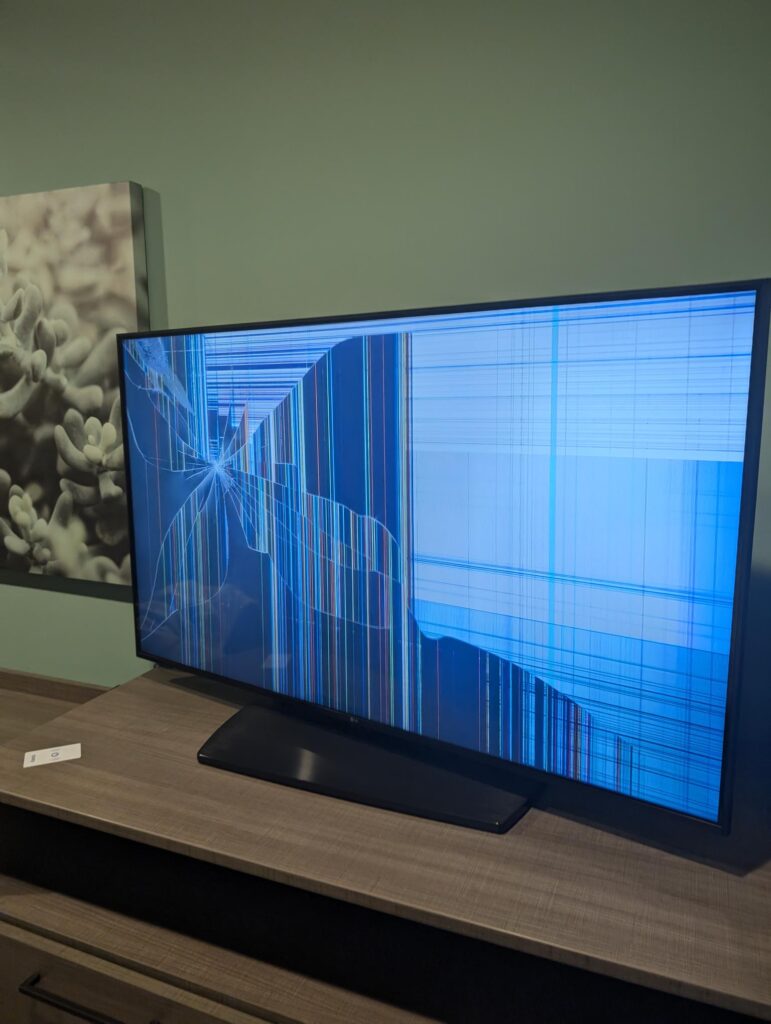
I’ve crawled behind enough hotel TVs to know one thing: nothing in hospitality tech blows up as often; or as painfully, as in-room streaming. Cameras die, Wi-Fi slows at 7 p.m., a PMS server needs a reboot. Annoying, yes. But when the guest room streaming box goes dark, the TV becomes a black mirror and the room is suddenly unsellable.
Below are the everyday disasters I keep running into and the bare-minimum checklist any “seamless” solution must meet before I’ll even consider calling it good.
Table of Contents
Other Hotel Tech Breaks—But Nothing Like Guest Room OTT

- When a security cam loses signal, the guest never notices.
- When lobby Wi-Fi hiccups, most guests just refresh and move on.
- When the in-room television fails, the front desk fields midnight fury and housekeeping plays cable-roulette at turnover.
I haven’t met a single over-the-top system that doesn’t morph into a constant pain in the backside within weeks. Every dongle, wall-wart, or hidden HDMI is another way to darken a room; and another reason guests storm the lobby.
Recommended Vendors
I’ve tested embedded casting TVs, coax head-ends with OTT overlays, and lock-plate set-back boxes. All of them solve something and break something else. If you think your product finally ticks every box above, contact me. As of right now I have not seen a single system and vendor that I can recommend.
1 The Cable Jungle

A GM texted me a photo two weeks after go-live: HDMI, coax, USB-C, and three power bricks dangling like spaghetti. Housekeeping now keeps a laminated “How to Re-Plug the TV” cheat-sheet on every cart. One wrong cable, and that room can’t be sold tonight. Plus additional work every single day.
Lesson: If a guest can unplug it, they will. Lock the back panel, color-code every lead, and leave one clearly labelled HDMI for consoles; nothing else.
2 Locked Inputs, BYOD Nightmares
Plenty of guests arrive with an Xbox, Apple TV, or laptop. Too many “secure” installs hide or disable every input. So guests yank random cables, or worse, give up and head downstairs furious that their device isn’t welcome.
Lesson: Expose one labelled HDMI that always works, then auto-revert via CEC when the guest powers down. If an install forces you to choose between security and guest hardware, expect cable carnage.
3 Dongles That Walk Away

I’ve seen installs where a streaming stick sits unsecured behind every TV. Guests reset it, pocket it, and head home smiling. The next traveller gets a no-signal screen and the room is out of order until maintenance digs up a spare stick; if one exists.
Lesson: If the hardware isn’t locked down or fully embedded, budget for a steady drip of replacements and dark rooms.
4 Clunky TV Menus
Some systems bury the live-TV tuner behind three sub-menus. Press “channel up” and nothing happens unless you first launch the vendor’s app. That’s not secure—it’s just baffling.
Lesson: The basics, power, channel up/down, input change; should behave exactly like the TV at home. If you need a laminated remote guide, the UI is part of the problem.
5 Support That Goes Silent
A few vendors answer instantly and walk you through anything. Others let tickets rot for weeks. I’ve literally driven seven hours to swap a cable because waiting on the vendor would have killed a weekend block of rooms.
Lesson: If the box ships without clear field manuals, spare parts, or live humans on the other end of the phone, expect road trips and lost sleep.
The Bare-Minimum Checklist
Before you sign for a shiny new streaming platform, ask the salesperson—politely but directly—how they deliver each bullet below. Hesitation means the solution isn’t ready.
- Lock-down wiring. Guests should reach only one HDMI labelled Console.
- Dedicated network lane. Separate SSID or VLAN; no captive portal, no rate-limiting.
- Automatic credential wipe. Zero housekeeping steps at checkout.
- Graceful failure. If the box dies, live channels still work.
- Quick field swap. Staff can replace a dongle or power brick in under ten minutes.
- Human support. Real 24 / 7 people with diagrams, not autoreply tickets.
FAQ
Can I bolt a streaming box onto the existing guest Wi-Fi and call it done?
Only if that network was designed for 24/7 video traffic. Most guest SSIDs are sized for phones and laptops, not two always-on devices per room. Budget a dedicated SSID or VLAN, or plan for buffering complaints.
Who owns the problem when streaming fails, the TV vendor or the network team?
Both. The TV box, the switch, and the access point form one service chain. If a proposal does not include clear support boundaries (and a single escalation path), you are buying a future finger-pointing contest.
How much bandwidth per room is realistically needed?
Target 2 to 6 Mbps sustained per occupied room, plus a 30 percent buffer for peaks. Anything less and the network becomes the bottleneck, no matter how good the TV solution is.
Why do some installs break within days of a “successful” cut-over?
Staging rooms often sit in perfect RF conditions; live rooms do not. Once 100 real guests start casting, weak AP placement, hidden HDMI cables, and loose power bricks surface fast.
Is locking every HDMI port a safe way to protect hardware?
It stops guests from unplugging cables but also blocks Xbox, Apple TV, and laptop users. Expect support calls. The better approach: lock everything except one clearly labelled HDMI that auto-reverts when the guest device powers down.
Can I rely on housekeeping to reset streaming boxes during turnover?
Not reliably. Any process that adds more than one extra step will be skipped on busy days. Streaming solutions should self-heal, wiping credentials and relaunching automatically at checkout without manual input.
Final Word
Guest room streaming shouldn’t be the hotel’s biggest headache, but right now it is. Until a platform nails the basics; secure wiring, its own bandwidth lane, and human support; I’ll keep a toolbox in the trunk and a healthy dose of skepticism in my pocket.
